- Projects -
SSH-Based Website Security Assessment Tool
I was able to create a tool that connects to remote web servers via SSH and performed series of checks to determine if the hosted website follow best security practices. In my SSH Project I was able to accomplish the following task:
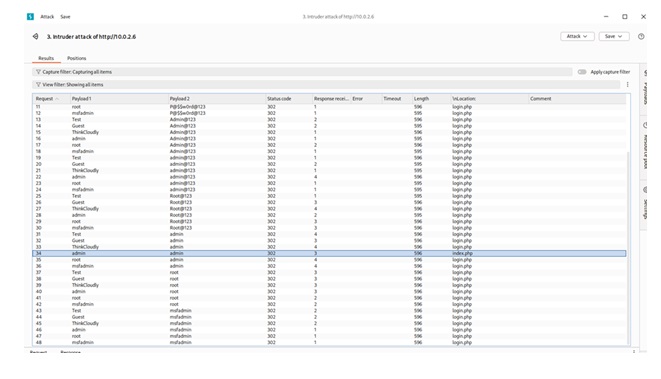
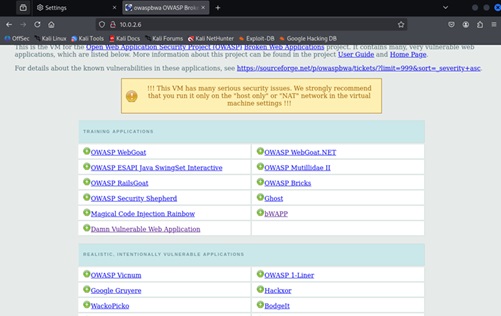
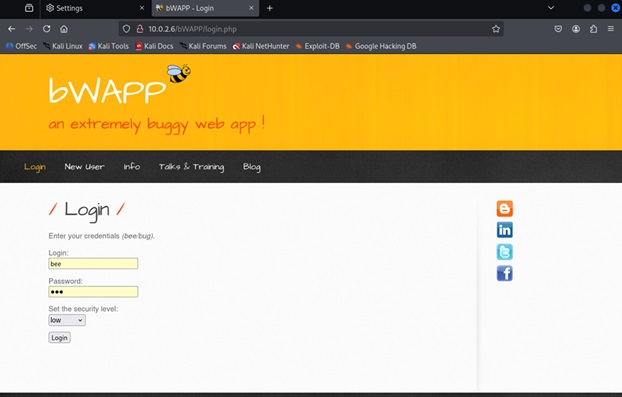
Burp Suite attack project
During this project I was able to capture and analyze session IDs using Burp Suite, in Kali. I was able to user Burp Suite to capture user password for a fail login on a vulnerable website
- SSH Authentication: Use key-based or password-based SSH to connect to target servers.
- SSL/TLS Certificate Validation: Check for valid, non-expired certificates and strong cipher suites.
- HTTP Headers Inspection: Verify presence of security headers
- Port Scanning: Ensure only necessary ports (443) are open.
- File Permissions Audit: Check for misconfigured web directories or sensitive files with insecure permissions.
- CMS Vulnerability Check: If the site uses WordPress, Joomla, etc., check for outdated plugins or core files.
- Log Analysis: Review server logs for suspicious access patterns or brute-force attempts.
- TheHarvester
- Maltego
- SpiderFoot
- WHOIS Lookpu
- Nslookup
- Ping
- Nmap
- SuperScan
- Nikto
- Etc
- Supports MD5,
- SHA1
- SHA2
- BLAKE
- Keccak, and more
Burp Suite attack project
During this project I was able to capture and analyze session IDs using Burp Suite, in Kali. I was able to user Burp Suite to capture user password for a fail login on a vulnerable website
Granting Permissions to Users in Linux
Granting permissions to users in Linux is all about managing file ownership, permissions, and sometimes group memberships. I was able to use different command in Kali Linux to give permission to users and groups.
Identifying phishing websites is a critical skill in cybersecurity, especially for protecting users and systems from credential theft, malware, and fraud. I was able to identify fishing websites by checking for misspellings, extra characters, or unusual domain extensions. Looking for HTTPS and the Padlock Icon, Inspecting the page design, blurry logos, poor grammar and awkward phrasing. Looking up for Pop-Ups and Urgent Messages, checking the source of the like. Using tools to help Detect Phishing like:
Granting permissions to users in Linux is all about managing file ownership, permissions, and sometimes group memberships. I was able to use different command in Kali Linux to give permission to users and groups.
Identifying phishing websites is a critical skill in cybersecurity, especially for protecting users and systems from credential theft, malware, and fraud. I was able to identify fishing websites by checking for misspellings, extra characters, or unusual domain extensions. Looking for HTTPS and the Padlock Icon, Inspecting the page design, blurry logos, poor grammar and awkward phrasing. Looking up for Pop-Ups and Urgent Messages, checking the source of the like. Using tools to help Detect Phishing like:
- Burp Suite
- PhishTank
- VirusTotal
- Browser Warnings